
Voter ID Card Download 2026: The Voter ID Card Download 2026 facility allows registered voters in India to download a digital copy of their Elector Photo Identity Card (EPIC) from the Election Commission of India’s official website. This digital voter ID is known as e-EPIC. It can be downloaded in PDF format and saved on a mobile phone, computer or other device for easy access.
The Election Commission of India (ECI) provides online voter services through its Voters’ Services Portal. Registered voters can use this portal to download their e-EPIC, search their names in the electoral roll, check application status and update certain voter details.
If you have lost your physical Voter ID card or want to keep a digital copy, you can use the online download facility. However, you must be registered as a voter and your details should be available in the electoral database.
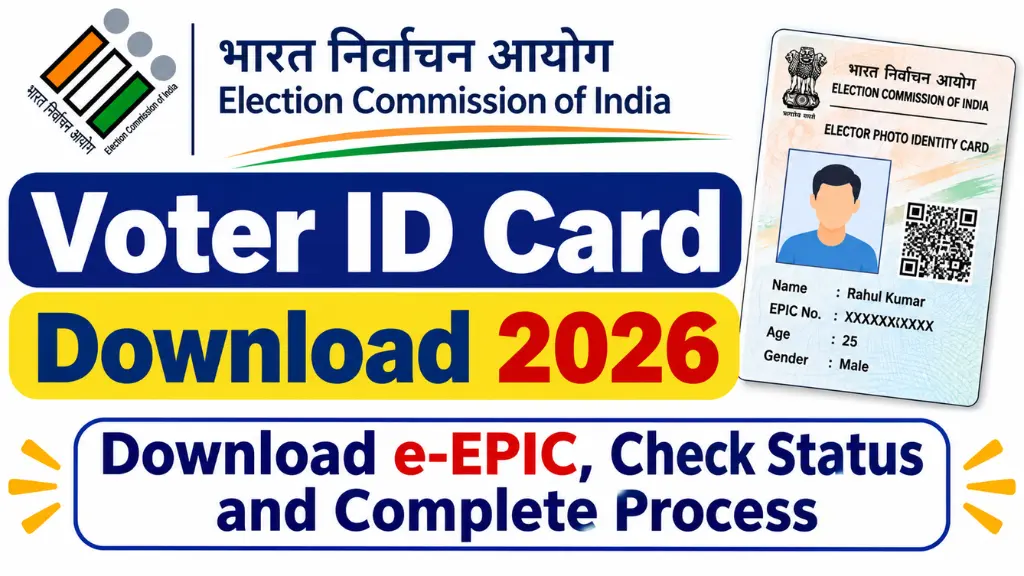
Voter ID Card Download 2026
| Card Name | Voter ID Card |
|---|---|
| Official Name | Elector Photo Identity Card (EPIC) |
| Digital Card Name | e-EPIC |
| Issuing Authority | Election Commission of India (ECI) |
| Download Year | 2026 |
| Download Format | |
| Download Mode | Online |
| Official Portal | Voters’ Services Portal |
| Required Details | EPIC Number or other login details |
| Verification | OTP, where required |
| Beneficiaries | Registered voters |
| Official Website | voters.eci.gov.in |
What Is an e-EPIC Voter ID Card?
An e-EPIC is the electronic version of the physical Voter ID card issued by the Election Commission of India. It is available as a downloadable PDF file and contains the elector’s identification details.
The digital card makes it easier for registered voters to keep a copy of their voter identification document without carrying the physical card everywhere.
The e-EPIC facility is useful for people who have misplaced their original card, need a digital copy or want to access their voter identification details online.
The Election Commission provides this facility through its official Voters’ Services Portal. Voters should use the official website rather than unknown third-party websites to download their digital cards.
How to Download Voter ID Card 2026 Online
Registered voters can download their digital Voter ID card by following the steps given below.
- Open the Election Commission of India’s Voters’ Services Portal:- voters.eci.gov.in.
- Click on the Login option and enter your registered mobile number, email ID or EPIC number, along with the captcha details.
- Request an OTP and enter the verification code received on your registered mobile number or through the available verification method.
- After logging in, find the E-EPIC Download option in the voter services section.
- Enter your Voter ID number, also known as the EPIC number. Select your state if the portal asks for it.
- Submit the information and check whether your voter details appear correctly on the screen.
- Complete any additional verification requested by the portal and select the download option.
- Your digital Voter ID card will be downloaded in PDF format, where the service is available. Save the file on your mobile phone or computer for future use.
How to Download Voter ID Card Without EPIC Number?
Some people may not remember their EPIC number. In such cases, they can first search for their voter registration details through the official portal.
Follow these steps:
- Open the official Voters’ Services Portal:- voters.eci.gov.in.
- Open the Search Your Name in Voter List service.
- Choose the available search method.
- Enter the requested details, such as your name, date of birth, state and other information.
- Submit the details to search the electoral roll.
- Check the matching voter record and note your EPIC number.
- Return to the e-EPIC download service.
- Log in and follow the download process.
The search results depend on the accuracy of the information entered. If you cannot find your record, check the spelling of your name and other details or contact the relevant election office.
Who Can Download Voter ID Card 2026?
The e-EPIC download facility is intended for people who are already registered as voters in the electoral roll.
- The person must be an Indian citizen.
- The person must be registered in the electoral roll.
- The applicant should have an EPIC number or be able to locate their voter record.
- The applicant must complete the required login and verification process.
- The voter details should be available in the Election Commission’s database.
Important: Being 18 years old does not automatically mean that a person can download a Voter ID card. They must first complete voter registration and have their name included in the electoral roll.
Documents and Details Required for Voter ID Download
For downloading an existing e-EPIC, you generally need your login details and voter identification information. The portal may ask for additional verification.
- EPIC number (Voter ID number).
- Registered mobile number or email ID.
- OTP for verification, where required.
- State or other voter details, if requested.
If you are applying for a new Voter ID rather than downloading an existing one, additional documents may be required. These can include proof of age, proof of residence and a recent photograph, according to the application requirements.
How to Apply for a New Voter ID Card in 2026
If you have never registered as a voter, you must complete the new voter registration process before downloading an e-EPIC. Eligible citizens can apply through Form 6 on the official Voters’ Services Portal.
- Open the official Voters’ Services Portal:- voters.eci.gov.in.
- Select the New Voter Registration option.
- Open Form 6.
- Enter your personal details, date of birth and residential address.
- Upload the required documents and photograph.
- Review the application carefully.
- Submit the form and save the acknowledgement or reference number.
- Track the application status through the portal.
After the application is verified and approved, the applicant’s name can be included in the electoral roll and an EPIC can be generated according to the applicable process.
How to Check Voter ID Application Status 2026
After submitting a new registration or correction application, you can check its progress online.
- Open the official Voters’ Services Portal:- voters.eci.gov.in.
- Log in using your registered details.
- Select Track Application Status.
- Enter your reference number, if required.
- Select the relevant state.
- Submit the information.
- Check the latest status displayed on the screen.
Keep your application reference number safe because it may be required to track the application or contact the election office.
How to Correct Details in Voter ID Card?
If your name, address, date of birth or other information is incorrect, you may be able to request a correction through Form 8.
Form 8 is also used for certain requests relating to shifting residence, replacement of EPIC and marking of a person with a disability, according to the applicable rules.
To submit a correction request:
- Visit the official Voters’ Services Portal:-voters.eci.gov.in
- Log in to your account.
- Select the Form 8 service.
- Choose the relevant correction or other request.
- Enter the correct information.
- Upload supporting documents, if required.
- Submit the form and save the reference number.
After verification and approval, the updated details can be reflected in the electoral records.
Important Difference Between Voter ID and Voter List
A Voter ID card and the electoral roll are related, but they are not the same thing.
The Voter ID card is an identity document issued to a registered elector. The electoral roll is the official list of people who are registered to vote in a particular constituency.
Having a physical or digital Voter ID card alone does not guarantee that your name is present in the current electoral roll. Before an election, voters should check their names and polling details through the official portal.
The Election Commission also allows eligible voters to use other approved identity documents at polling stations, subject to the instructions for the particular election. The most important requirement is that the person’s name must appear in the electoral roll.
FAQs – Voter ID Card Download 2026
Visit voters.eci.gov.in, log in to your account, select E-EPIC Download, enter your EPIC details and complete the required verification to download the PDF.
EPIC stands for Elector Photo Identity Card. It is the official identification card issued to registered voters by the Election Commission of India.
Yes. You can access the Voters’ Services Portal through a mobile browser and download your e-EPIC if you meet the service requirements.
You can first use the Search Your Name in Voter List service to locate your voter record and EPIC number. You can then use the e-EPIC download facility.
The Voter ID Card Download 2026 facility makes it convenient for registered voters to access their digital voter identification cards from home. Through the Election Commission of India’s official Voters’ Services Portal, eligible voters can download their e-EPIC in PDF format, search their names in the electoral roll and track application updates.
If you already have a Voter ID, keep your EPIC number and registered login details ready to complete the download process. If you are a new applicant, first submit Form 6 and wait for the registration process to be completed. Always use the official Election Commission portal and check your name in the current electoral roll before an election.

I am the founder and editor of IndianFastJobAlert.com. I started this website with a simple goal: to make it easier for people to find genuine and useful updates about government jobs, scholarships, exam results, admit cards, and government schemes.